OperatourFeatures
Features.
Audio-reactive VJ software for macOS.
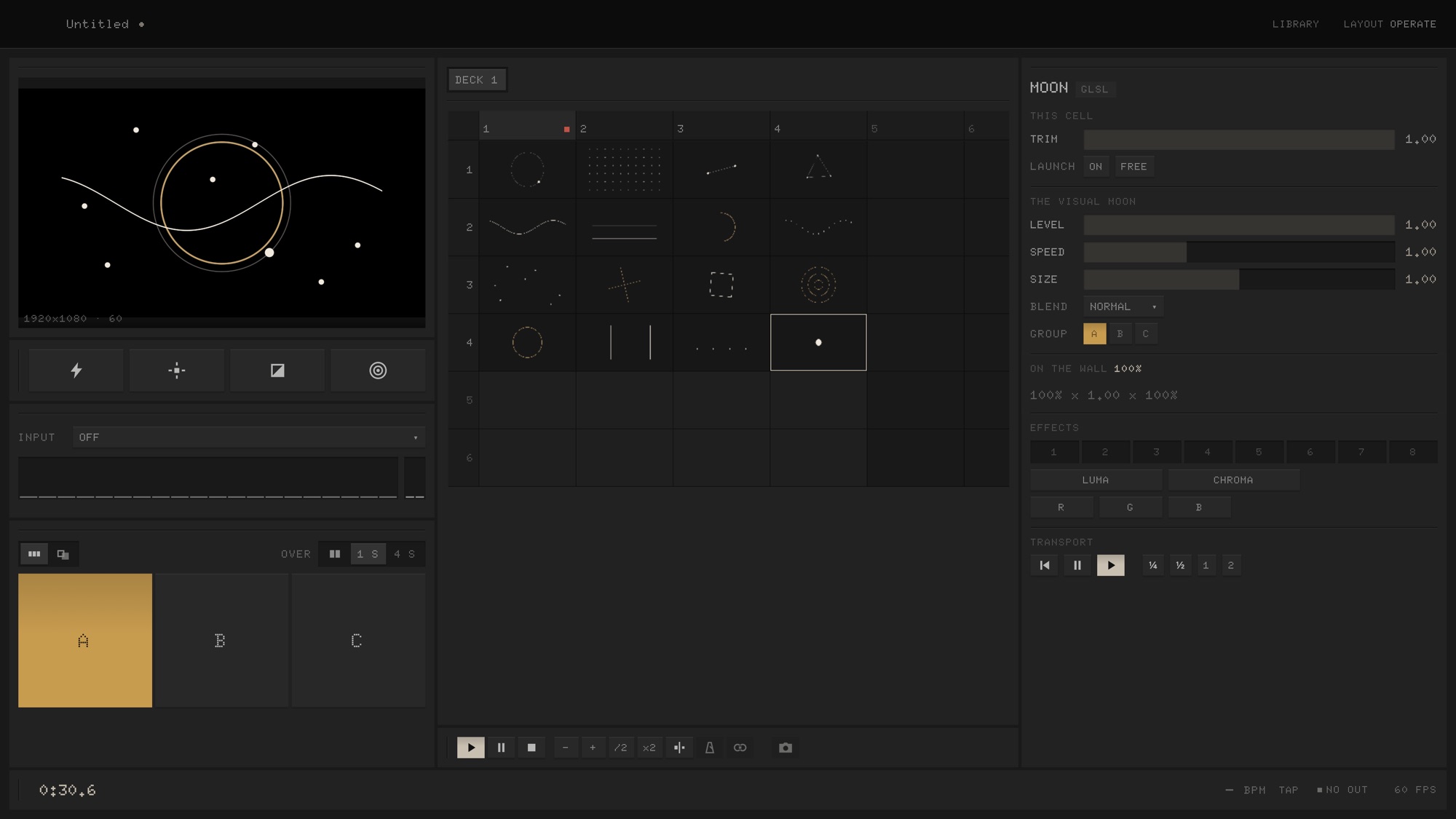
01 · Audio
Audio-reactive, zero setup.
Beat, bass, mids, highs, level and BPM, from a mic or line in, in every visual. Audio-reactive with zero setup.
- BPM detection or tap tempo
- DAW plug-in: 8 stems, host tempo
- Any parameter: audio or LFO
02 · The grid
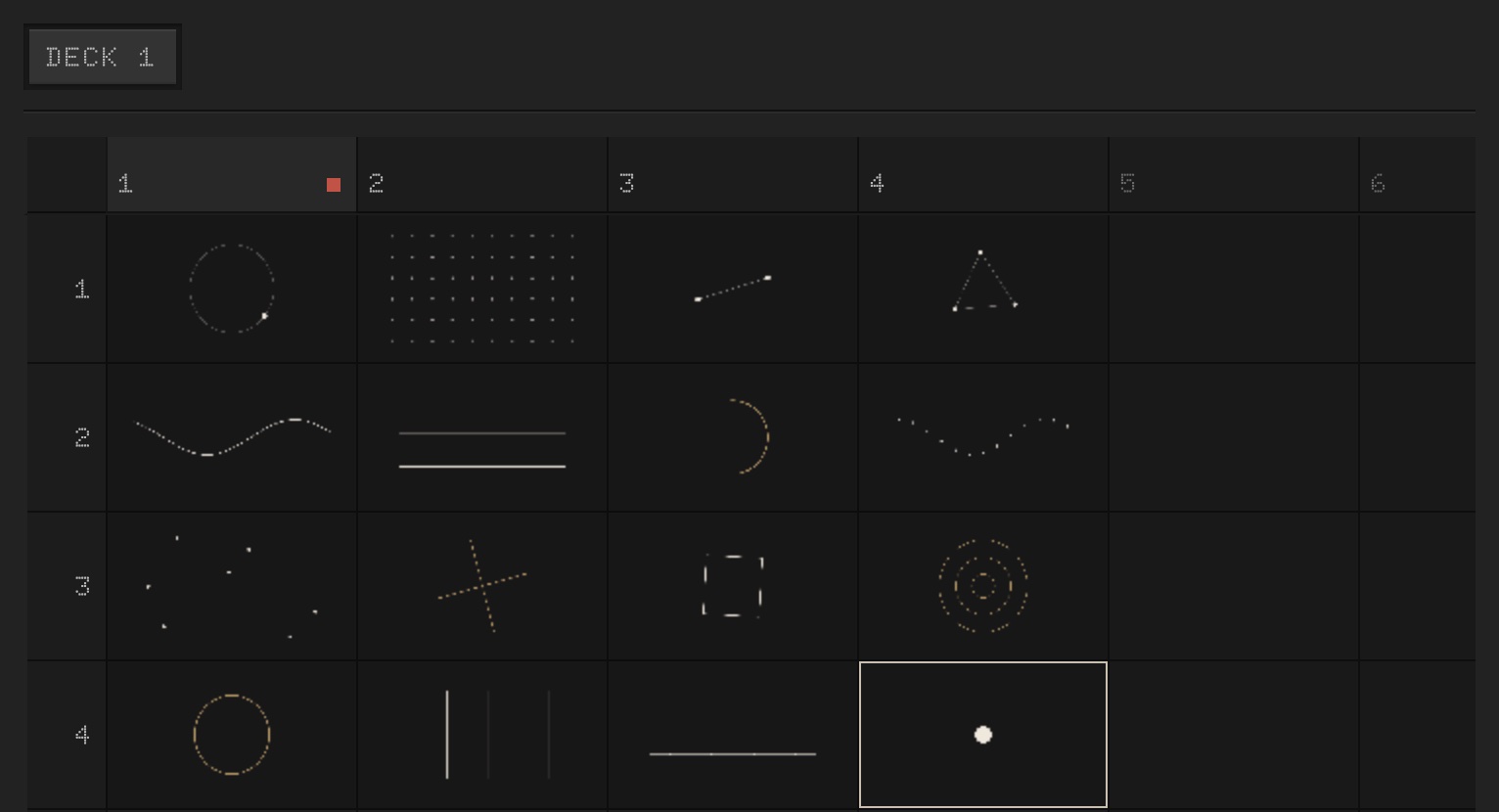
Clip grid.
Rows are layers, columns are cues. Keys 1 to 8 launch a column.
- Trigger, hold or toggle
- Beat and bar quantise
- Decks and autopilot
03 · Parameters
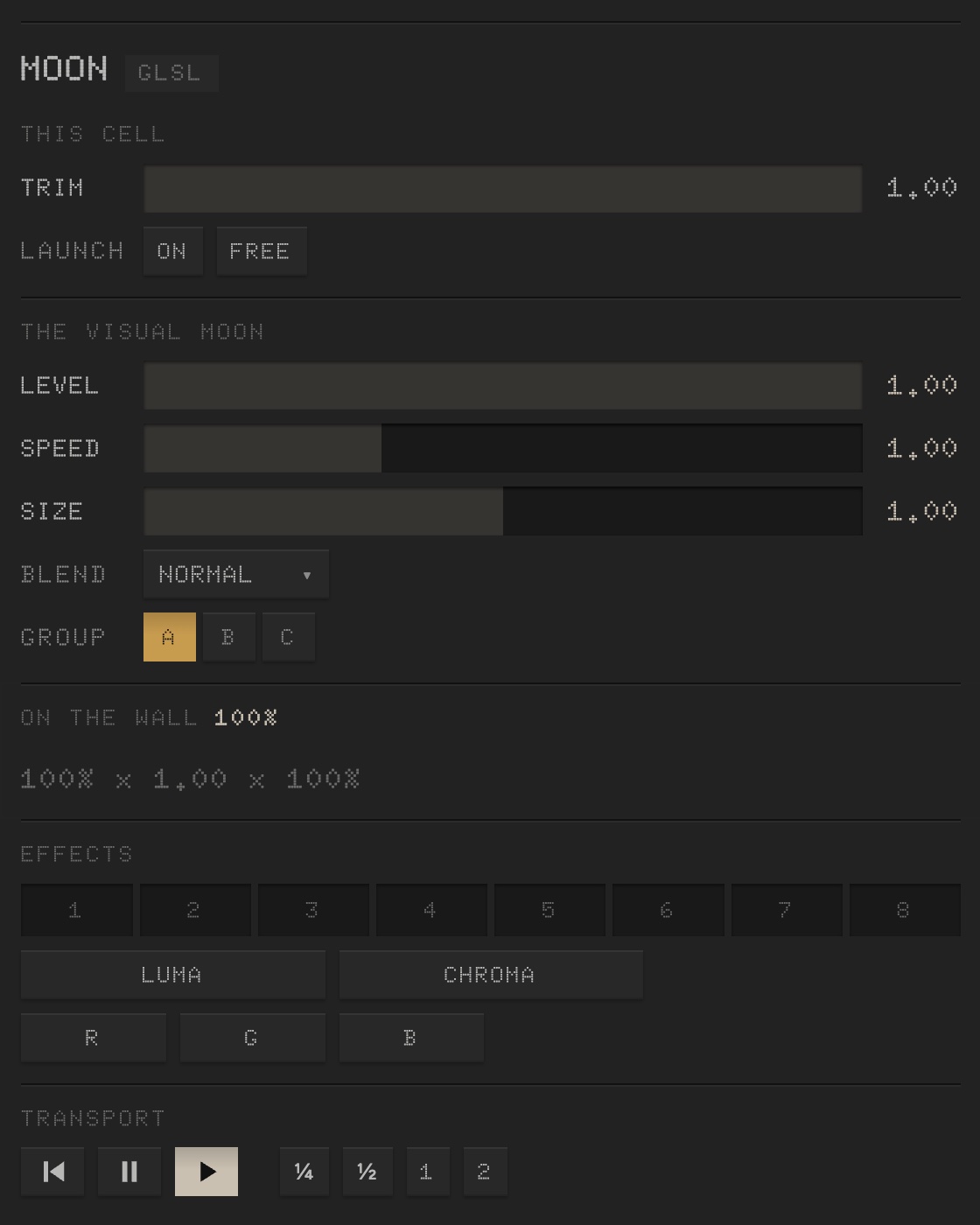
Every parameter, a fader.
Every parameter a visual exposes is a fader in the Inspector, MIDI-mappable.
- Opacity, blend mode, group per layer
- lil-gui panels become faders
- Clip transport: speed, reverse, cue points
04 · Effects
Layer and master effects.
Effects per layer and on the master. Momentary punches on Q, W, E, R: flash, strobe, invert, BPM pulse. Space pauses.
- Luma key, chroma key, soft mask
- 8 effect slots per layer
- Momentary punches

05 · Groups
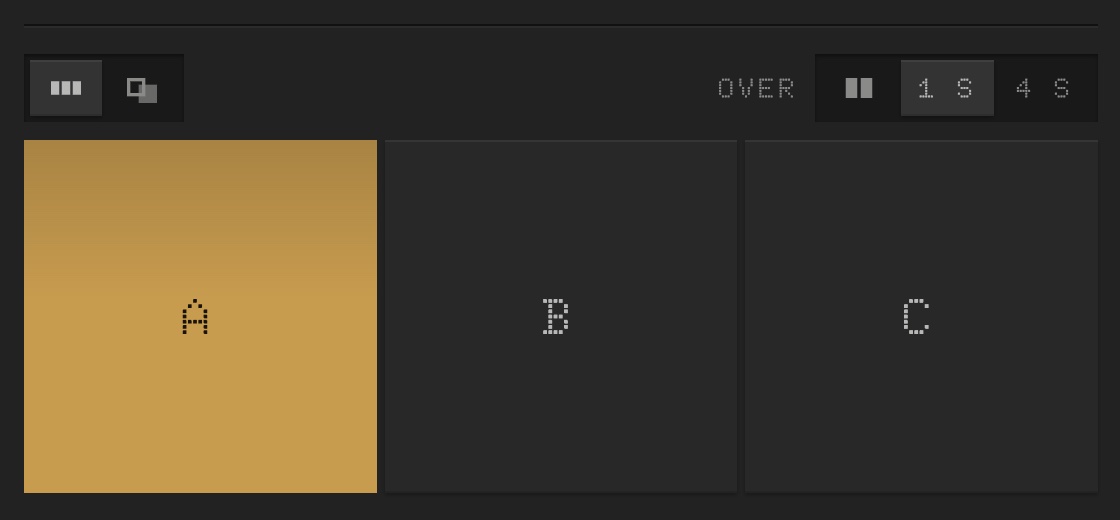
A/B/C crossfade.
Layers in groups A, B and C. Crossfade between them, timed, with a curve.
06 · Code
GLSL, p5.js, Three.js. Unmodified.
GLSL, p5 and Three.js run live as layers, audio-reactive. Shadertoy shaders run unmodified.
- Drag and drop a folder
- Video, stills, camera, screen capture
- Declared parameters become faders
// sketch.js, a p5 visual
function draw() {
  background(0);
  const r = 80 + sialk.audio.bass * 400;
  circle(width / 2, height / 2, r);
}
07 · Controllers
MIDI learn, OSC, Art-Net.
MIDI learn, MIDI clock in, MIDI feedback to the pads, OSC and Art-Net in. MIDI is paid; OSC, Art-Net and the phone remote are free.
08 · Output
Fullscreen, up to 4K60.
Fullscreen at the projector’s native resolution, up to 4K60. No menu bar, no cursor. The desk stays on your laptop.
- One projector or several
- Letterboxed, never stretched
- Test patterns to line a projector up
Offline
Offline at show time.
No account, no login. Offline licence: activated once, never checked at show time.
And more
- Operate and Plan
- Two layouts of the same desk.
- Panes that dock
- Arrange the desk the way you work.
- Shows
- Reopen exactly as saved.
- Autosave
- Crash-safe.
- Tap tempo
- Or BPM detection.
- Sketches with AI
- Give your assistant the audio API.
- From a URL
- A web page or a source folder as a layer.
- Run log
- Per show, for debugging.
Free to start.
Download it and pick a visual. It takes a minute.
Free for non-commercial use: 3×3 grid, 1280, an hour per session. $199 once: no limits, commercial use. Apple silicon and Intel.