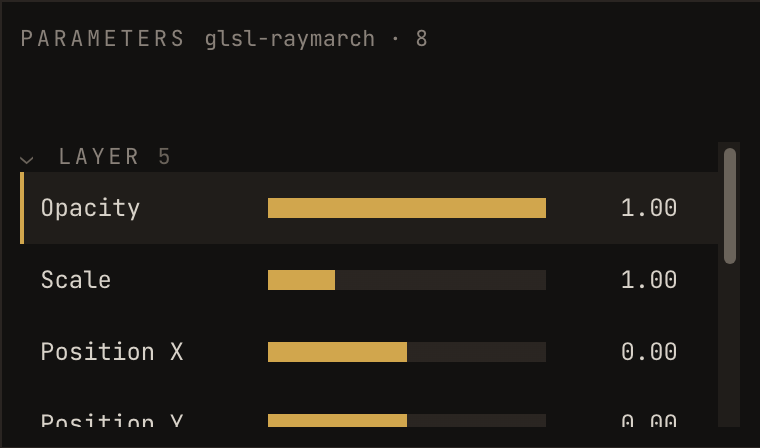
Selecting a layer lists its parameters in the middle column. There are two kinds, and they are grouped separately because they behave differently.
LAYER - the four Sialk gives every layer
These arrive with v1.
They act on the picture, not on the work inside it, so they are there even for a sketch that has never heard of Sialk.
| Parameter | Range |
|---|---|
| Scale | 0.05 - 4 |
| Position X / Y | −1 - 1, where 1 pushes it a whole frame off the side |
| Rotation | −180° - 180° |
Because these are ordinary parameters, they modulate like any other: a slow LFO on rotation, or bass on scale, needs no cooperation from the sketch at all.
The sketch's own
Whatever your sketch declared, in the shape it declared it:
| You declare | You get |
|---|---|
| a number | a fader |
| a switch | a toggle |
| a menu | buttons |
| a colour | a swatch |
| a trigger | a FIRE button |
If a sketch declares nothing, this group is simply absent. That is not an error, plenty of good sketches take no input. See declaring parameters to add some.
Your sketch's own lil-gui or dat.GUI panel becomes parameters too, from v1, see your own control panel.
Filtering the list
The pills above the list, all, bound, moving, filter it. They arrive with v2, alongside MIDI.
moving is measured rather than assumed: it shows what is actually changing right now, which on a busy show is the fastest way to find the thing that is misbehaving.
In the beta
The Inspector on the right is a readout: parameter name, live value, and a meter. You can see everything a sketch exposes and watch it move.
The faders arrive with v1. Until then, values are set by the sketch and by its own panel, not by dragging them here.